
Tutorial – How to Download & Share the Power Agent Commercials to Social Media
How to Download the Video:
1. On the page of the video you want to download, click "DOWNLOAD YOUR VIDEO NOW"

Alert: The video will open in a new browser tab!
Don't copy & paste the URL of the video from the URL bar to share. Instead you will want to DOWNLOAD the video. Keep reading to see how! 🙂
2. Click the 3 dots at the bottom right-hand corner.
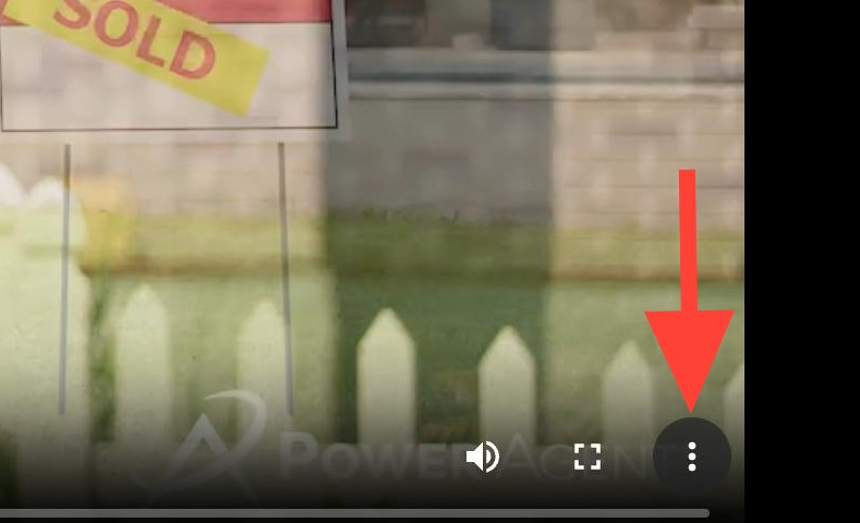
3. Select Download.
How to Post the Video to Facebook:
1. Switch to tab "Facebook" and go to your Home Feed.
2. Where you would create a post, click Photo/Video.
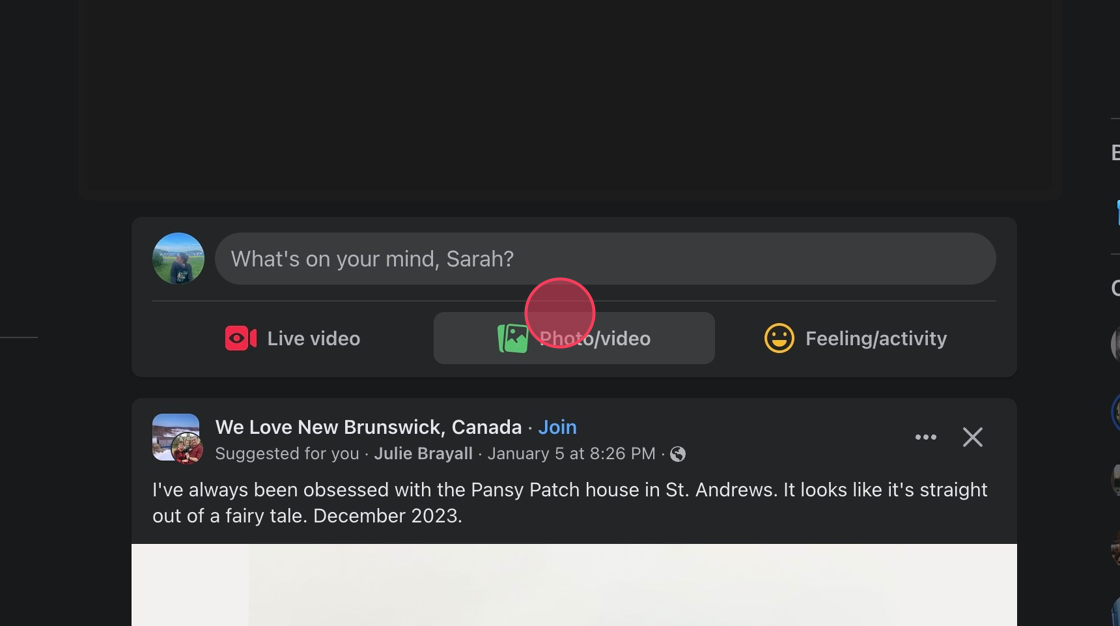
3. Click Add Photos/Videos.

4. Write what you'd like as your post! Be sure to include the hashtag #PowerAgentsServe!
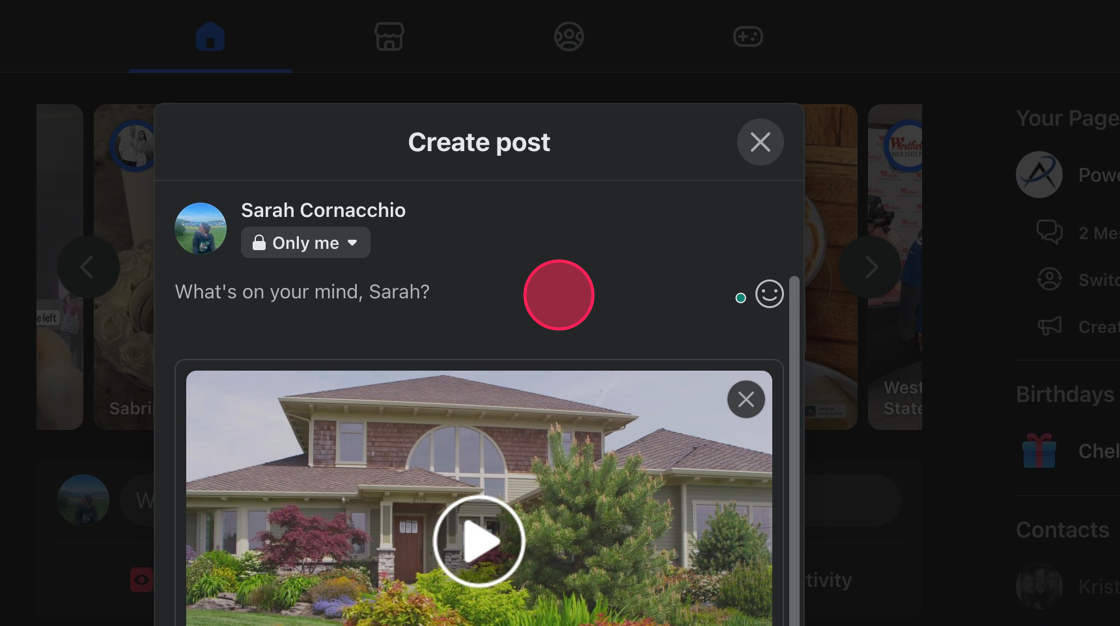
5. When you're all done - click Post.

6. You'll receive a notification on the bottom left-hand corner that says, "Your post is being processed. We’ll let you know when it’s ready to view."
Your post will publish soon!

7. You've successfully posted your Power Agent® Commercial to Facebook!
